

Setup Ingress and HTTPS
{% tabs %} {% tab title="Helm 3" %}
Follow this quick start guide and install certmanager via Helm 3:
… Via Kubernetes Directly
$ kubectl apply -f https://github.com/jetstack/cert-manager/releases/download/v1.1.0/cert-manager.yaml
{% endtab %} {% tab title="Helm 2" %}
{% hint style="info" %} CAUTION: Tiller on Helm 2 is removed on Helm 3, because of savety issues. So we recomment Helm 3. {% endhint %}
Follow this quick start guide and install certmanager via Helm 2 and tiller: This resource was also helpful
$ kubectl create serviceaccount tiller --namespace=kube-system
$ kubectl create clusterrolebinding tiller-admin --serviceaccount=kube-system:tiller --clusterrole=cluster-admin
$ helm init --service-account=tiller
$ helm repo add jetstack https://charts.jetstack.io
$ helm repo update
$ kubectl apply -f https://raw.githubusercontent.com/jetstack/cert-manager/release-0.11/deploy/manifests/00-crds.yaml
$ helm install --name cert-manager --namespace cert-manager --version v0.11.0 jetstack/cert-manager
{% endtab %} {% endtabs %}
Create Letsencrypt Issuers and Ingress Services
Copy the configuration templates and change the file according to your needs.
# in folder deployment/digital-ocean/https/
cp templates/issuer.template.yaml ./issuer.yaml
cp templates/ingress.template.yaml ./ingress.yaml
At least, change email addresses in issuer.yaml. For sure you also want
to change the domain name in ingress.yaml.
Once you are done, apply the configuration:
# in folder deployment/digital-ocean/https/
$ kubectl apply -f .
{% hint style="info" %} CAUTION: It seems that the behaviour of Digital Ocean has changed and the load balancer is not created automatically anymore. And to create a load balancer costs money. A solution without a load balance you can find here. Please correct the following text … {% endhint %}
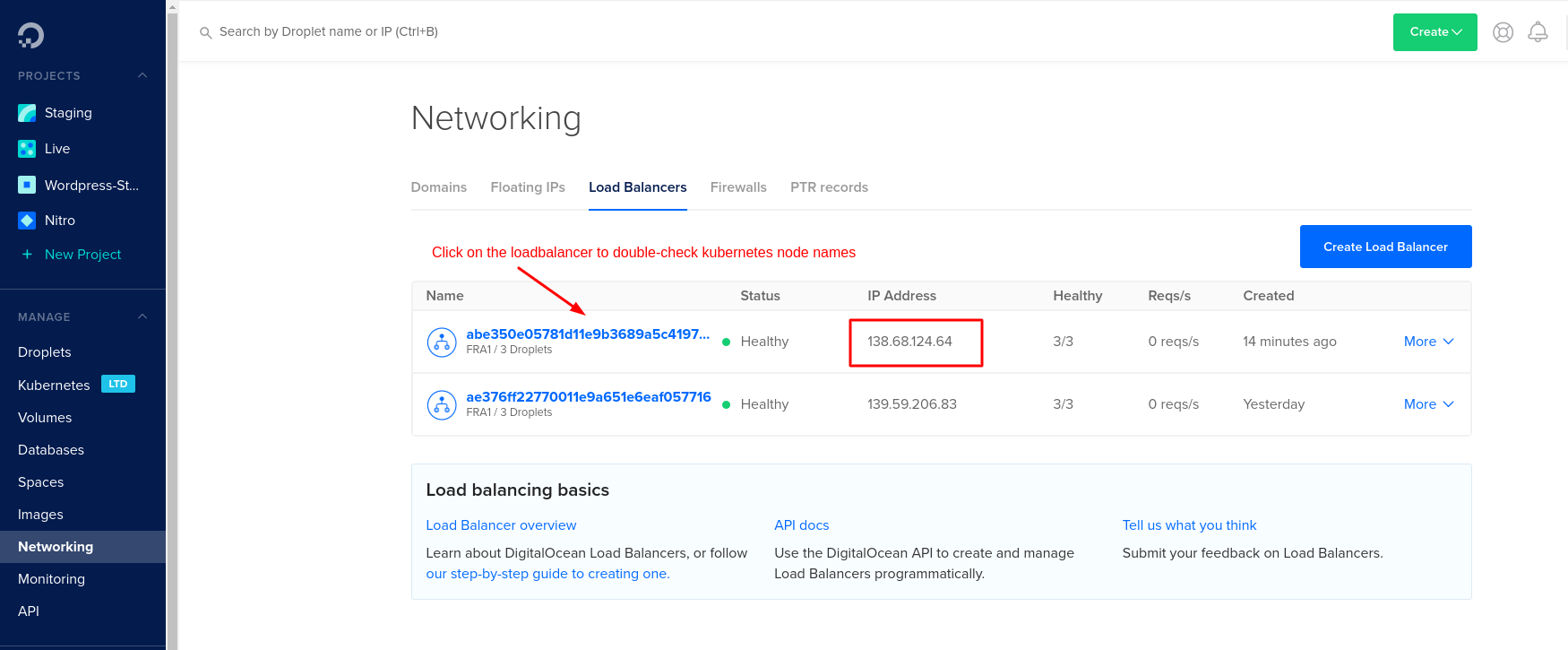
By now, your cluster should have a load balancer assigned with an external IP address. On Digital Ocean, this is how it should look like:
Check the ingress server is working correctly:
$ curl -kivL -H 'Host: <DOMAIN_NAME>' 'https://<IP_ADDRESS>'
<page data>
If the response looks good, configure your domain registrar for the new IP address and the domain.
Now let's get a valid HTTPS certificate. According to the tutorial above, check your tls certificate for staging:
$ kubectl describe -n ocelot-social certificate tls
$ kubectl describe -n ocelot-social secret tls
If everything looks good, update the issuer of your ingress. Change the annotation cert-manager.io/issuer from letsencrypt-staging (for testing without getting a real certificate) to letsencrypt-prod (for production) in your ingress configuration in ingress.yaml.
# in folder deployment/digital-ocean/https/
$ kubectl apply -f ingress.yaml
Delete the former secret to force a refresh:
$ kubectl -n ocelot-social delete secret tls
Now, HTTPS should be configured on your domain. Congrats.