 907233cbc9
- allows the client to send files at least the size we agreed in the vue-dropzone
- we don't need such a small split size as we don't run it on the remote server

Setup Ingress and HTTPS
Follow this quick start guide and install certmanager via helm and tiller:
$ kubectl create serviceaccount tiller --namespace=kube-system
$ kubectl create clusterrolebinding tiller-admin --serviceaccount=kube-system:tiller --clusterrole=cluster-admin
$ helm init --service-account=tiller
$ helm repo update
$ helm install stable/nginx-ingress
$ kubectl apply -f https://raw.githubusercontent.com/jetstack/cert-manager/release-0.6/deploy/manifests/00-crds.yaml
$ helm install --name cert-manager --namespace cert-manager stable/cert-manager
Create Letsencrypt Issuers and Ingress Services
Copy the configuration templates and change the file according to your needs.
# in folder deployment/digital-ocean/https/
cp templates/issuer.template.yaml ./issuer.yaml
cp templates/ingress.template.yaml ./ingress.yaml
At least, change email addresses in issuer.yaml. For sure you also want
to change the domain name in ingress.yaml.
Once you are done, apply the configuration:
# in folder deployment/digital-ocean/https/
$ kubectl apply -f .
By now, your cluster should have a load balancer assigned with an external IP address. On Digital Ocean, this is how it should look like:
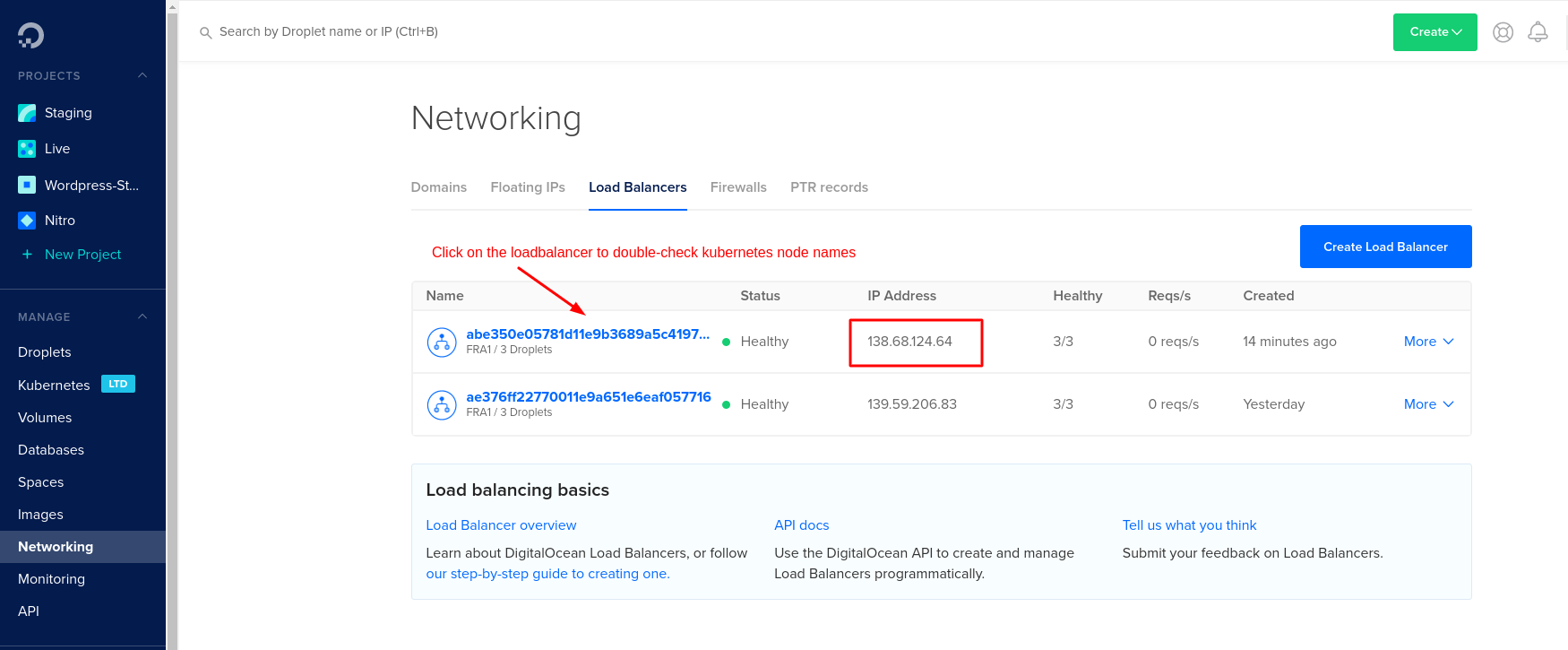
Check the ingress server is working correctly:
$ curl -kivL -H 'Host: <DOMAIN_NAME>' 'https://<IP_ADDRESS>'
If the response looks good, configure your domain registrar for the new IP address and the domain.
Now let's get a valid HTTPS certificate. According to the tutorial above, check your tls certificate for staging:
$ kubectl describe --namespace=human-connection certificate tls
$ kubectl describe --namespace=human-connection secret tls
If everything looks good, update the issuer of your ingress. Change the annotation certmanager.k8s.io/issuer from letsencrypt-staging to letsencrypt-prod in your ingress configuration in ingress.yaml.
# in folder deployment/digital-ocean/https/
$ kubectl apply -f ingress.yaml
Delete the former secret to force a refresh:
$ kubectl --namespace=human-connection delete secret tls
Now, HTTPS should be configured on your domain. Congrats.