 61813c4eb8
This is a side quest of #8558. The motivation is to be able to do dependency injection in the tests without overwriting global data. I saw the first merge conflict from #8551 and voila: It seems @Mogge could have used this already.

refactor: follow @Mogge's review

See: https://github.com/Ocelot-Social-Community/Ocelot-Social/pull/8603#pullrequestreview-2880714796

refactor: better test helper methods

wip: continue refactoring

wip: continue posts

continue

wip: continue groups

continue registration

registration

continue messages

continue observeposts

continue categories

continue posts in groups

continue invite codes

refactor: continue notificationsMiddleware

continue statistics spec

followed-users

online-status

mentions-in-groups

posts-in-groups

email spec

finish all tests

improve typescript

missed one test

remove one more reference of CONFIG

eliminate one more global import of CONFIG

fix language spec test

fix two more test suites

refactor: completely mock out 3rd part API request

refactor test

fixed user_management spec

fixed more locatoin specs

install types for jsonwebtoken

one more fetchmock

fixed one more suite

fix one more spec

yet another spec

fix spec

delete whitespaces

remove beforeAll that the same as the default

fix merge conflict

fix e2e test

refactor: use single callback function for `context` setup

refactor: display logs from backend during CI

Because why not?

fix seeds

fix login

refactor: one unnecessary naming

refactor: better editor support

refactor: fail early

Interestingly, I've had to destructure `context.user` in order to make
typescript happy. Weird.

refactor: undo changes to workflows - no effect

We're running in `--detached` mode on CI, so I guess we won't be able to
see the logs anyways.

refactor: remove fetch from context after review

See:

refactor: found an easier way for required props

Co-authored-by: Max <maxharz@gmail.com>
Co-authored-by: Ulf Gebhardt <ulf.gebhardt@webcraft-media.de>
Backend
Installation with Docker
Run the following command to install everything through docker.
The installation takes a bit longer on the first pass or on rebuild ...
# in main folder
$ docker compose up
# or
# rebuild the containers for a cleanup
$ docker compose up --build
Wait a little until your backend is up and running at http://localhost:4000/.
Installation without Docker
For the local installation you need a recent version of
Node (>= v16.19.0). We are using
v24.2.0 and therefore we recommend to use the same version
(see
some known problems with more recent node versions). You can use the
node version manager nvm to switch
between different local Node versions:
# install Node
$ cd backend
$ nvm install v24.2.0
$ nvm use v24.2.0
Install node dependencies with yarn:
# in main folder
$ cd backend
$ yarn install
# or just
$ yarn
# or just later on to use version of ".nvmrc" file
$ nvm use && yarn
Copy Environment Variables:
# in backend/
$ cp .env.template .env
Configure the new file according to your needs and your local setup. Make sure a local Neo4J instance is up and running.
Start the backend for development with:
# in backend/
$ yarn run dev
or start the backend in production environment with:
# in backend/
$ yarn run start
For e-mail delivery, please configure at least SMTP_HOST and SMTP_PORT in
your .env configuration file.
Your backend is up and running at http://localhost:4000/
This will start the GraphQL service by default on localhost:4000 where you
can issue GraphQL requests or access GraphQL Playground in the browser.
More details about our GraphQL playground and how to use it with ocelot.social can be found here.
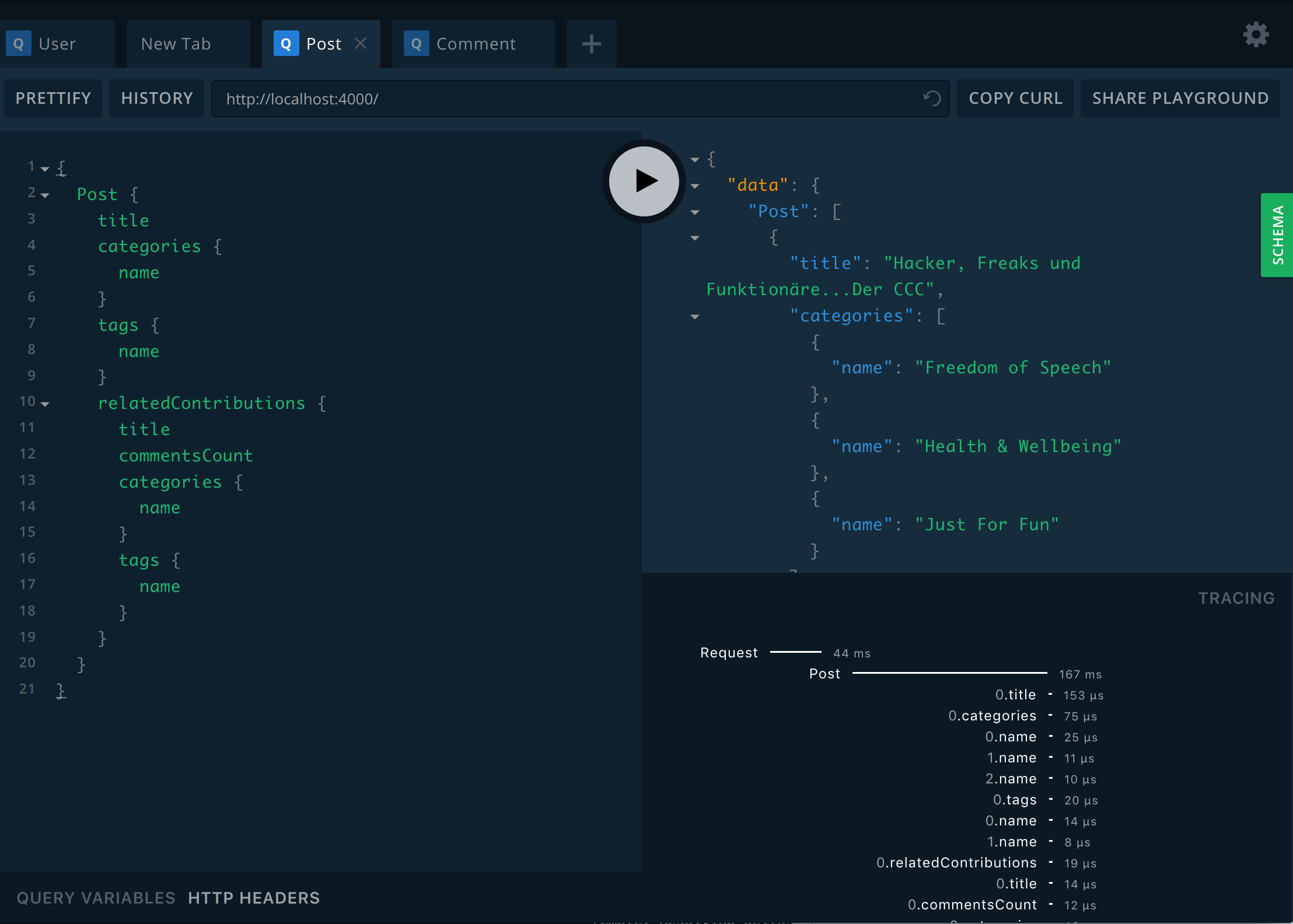
Database
A fresh database needs to be initialized and migrated.
# in folder backend while database is running
yarn db:migrate init
# for docker environments:
docker exec ocelot-social-backend-1 yarn db:migrate init
# for docker production:
docker exec ocelot-social-backend-1 yarn prod:migrate init
# in backend with database running (In docker or local)
yarn db:migrate up

# for docker development:
docker exec ocelot-social-backend-1 yarn db:migrate up
# for docker production
docker exec ocelot-social-backend-1 yarn prod:migrate up
Optional Data
You can seed some optional data into the database.
To create the default admin admin@example.org with password 1234 use:
# in backend with database running (In docker or local)
yarn db:data:admin
When using CATEGORIES_ACTIVE=true you also want to seed the categories with:
# in backend with database running (In docker or local)
yarn db:data:categories
Branding Data
You might need to seed some branding specific data into the database.
To do so, run:
# in backend with database running (In docker or local)
yarn db:data:branding

# for docker
docker exec ocelot-social-backend-1 yarn db:data:branding
Seed Data
For a predefined set of test data you can seed the database with:
# in backend with database running (In docker or local)
yarn db:seed

# for docker
docker exec ocelot-social-backend-1 yarn db:seed
Reset Data
In order to reset the database you can run:
# in backend with database running (In docker or local)
yarn db:reset
# or deleting the migrations as well
yarn db:reset:withmigrations

# for docker
docker exec ocelot-social-backend-1 yarn db:reset
# or deleting the migrations as well
docker exec ocelot-social-backend-1 yarn db:reset:withmigrations
# you could also wipe out your neo4j database and delete all volumes with:
docker compose down -v
Note: This just deletes the data and not the constraints, hence you do not need to rerun
yarn db:migrate initoryarn db:migrate up.
Data migrations
Although Neo4J is schema-less,you might find yourself in a situation in which you have to migrate your data e.g. because your data modeling has changed.
Generate a data migration file:
# in backend
$ yarn run db:migrate:create your_data_migration
# Edit the file in ./src/db/migrations/

# for docker
# in main folder while docker compose is running
$ docker compose exec ocelot-social-backend-1 yarn run db:migrate:create your_data_migration
# Edit the file in ./src/db/migrations/
To run the migration:
# in backend/ while database is running
$ yarn run db:migrate up

# for docker
# in main folder while docker compose is running
$ docker exec backend yarn run db:migrate up
Testing
Beware: We have no multiple database setup at the moment. We clean the database after each test, running the tests will wipe out all your data!
Run the unit tests:
# in backend/ while database is running
$ yarn run test

# for docker
# in main folder while docker compose is running
$ docker exec ocelot-social-backend-1 yarn run test
If the snapshots of the emails must be updated, you have to run the tests in docker! Otherwise the CI will fail.
# in main folder while docker compose is running
$ docker exec ocelot-social-backend-1 yarn run test -u src/emails/