 e5e444a985
Bumps [metascraper-youtube](https://github.com/microlinkhq/metascraper-youtube) from 5.11.6 to 5.11.8.
- [Release notes](https://github.com/microlinkhq/metascraper-youtube/releases)
- [Commits](https://github.com/microlinkhq/metascraper-youtube/commits)

Signed-off-by: dependabot-preview[bot] <support@dependabot.com>


Backend
Installation with Docker
Run the following command to install everything through docker.
The installation takes a bit longer on the first pass or on rebuild ...
$ docker-compose up

# rebuild the containers for a cleanup
$ docker-compose up --build
Wait a little until your backend is up and running at http://localhost:4000/.
Installation without Docker
For the local installation you need a recent version of node
(>= v10.12.0).
Install node dependencies with yarn:
$ cd backend
$ yarn install
Copy Environment Variables:
# in backend/
$ cp .env.template .env
Configure the new file according to your needs and your local setup. Make sure a local Neo4J instance is up and running.
Start the backend for development with:
$ yarn run dev
or start the backend in production environment with:
yarn run start
For e-mail delivery, please configure at least SMTP_HOST and SMTP_PORT in
your .env configuration file.
Your backend is up and running at http://localhost:4000/
This will start the GraphQL service by default on localhost:4000 where you
can issue GraphQL requests or access GraphQL Playground in the browser.
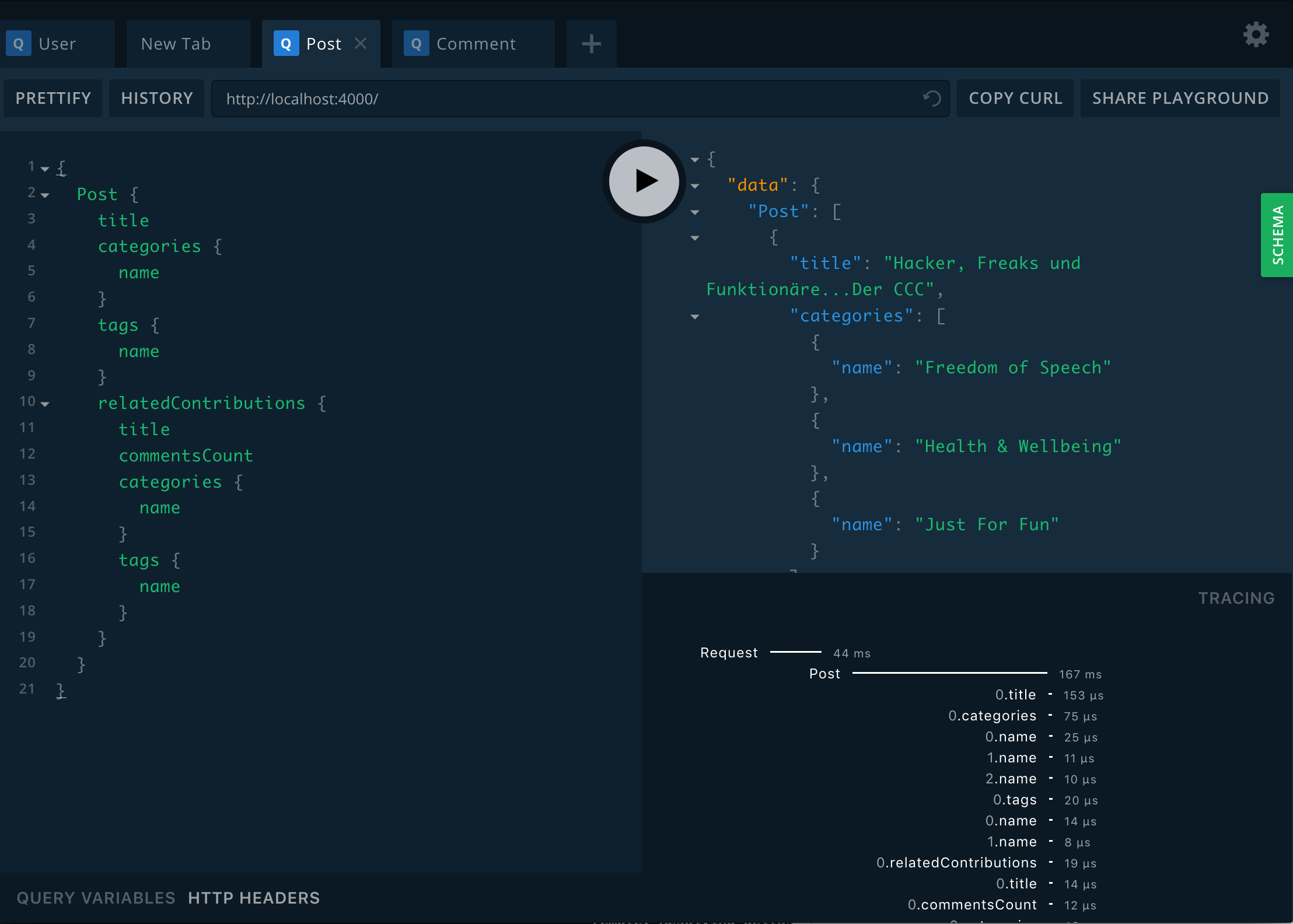
Database Indices and Constraints
Database indices and constraints need to be created when the database and the backend is running:
{% tabs %} {% tab title="Docker" %}
docker-compose exec backend yarn run db:migrate init
{% endtab %}
{% tab title="Without Docker" %}
# in folder backend/
# make sure your database is running on http://localhost:7474/browser/
yarn run db:migrate init
{% endtab %} {% endtabs %}
Seed Database
If you want your backend to return anything else than an empty response, you need to seed your database:
{% tabs %} {% tab title="Docker" %}
In another terminal run:
$ docker-compose exec backend yarn run db:seed
To reset the database run:
$ docker-compose exec backend yarn run db:reset
# you could also wipe out your neo4j database and delete all volumes with:
$ docker-compose down -v
# if container is not running, run this command to set up your database indeces and contstraints
$ docker-compose run backend yarn run db:migrate init
{% endtab %}
{% tab title="Without Docker" %} Run:
$ yarn run db:seed
To reset the database run:
$ yarn run db:reset
{% endtab %} {% endtabs %}
Data migrations
Although Neo4J is schema-less,you might find yourself in a situation in which you have to migrate your data e.g. because your data modeling has changed.
{% tabs %} {% tab title="Docker" %} Generate a data migration file:
$ docker-compose exec backend yarn run db:migrate:create your_data_migration
# Edit the file in ./src/db/migrations/
To run the migration:
$ docker-compose exec backend yarn run db:migrate up
{% endtab %} {% tab title="Without Docker" %} Generate a data migration file:
$ yarn run db:migrate:create your_data_migration
# Edit the file in ./src/db/migrations/
To run the migration:
$ yarn run db:migrate up
{% endtab %} {% endtabs %}
Testing
Beware: We have no multiple database setup at the moment. We clean the database after each test, running the tests will wipe out all your data!
{% tabs %} {% tab title="Docker" %}
Run the jest tests:
$ docker-compose exec backend yarn run test:jest
Run the cucumber features:
$ docker-compose exec backend yarn run test:cucumber
{% endtab %}
{% tab title="Without Docker" %}
Run the jest tests:
$ yarn run test:jest
Run the cucumber features:
$ yarn run test:cucumber
{% endtab %} {% endtabs %}