
2.7 KiB
Human-Connection - GraphQL API - Prototype
This Prototype tries to resolve the biggest hurdle of connecting our services together. This is not possible in a sane way using our current approach.
With this Prototype we can explore using the combination of GraphQL and the Neo4j Graph Database for achieving the connected nature of a social graph with better development experience as we do not need to connect data by our own any more through weird table structures etc.
Advantages:
- easer data structure
- better connected data
- easy to achieve "recommendations" based on actions (relations)
- more performant and better to understand API
- better API client that uses caching
We still need to evaluate the drawbacks and estimate the development cost of such an approach
Quick Start
Install dependencies:
yarn install
# -or-
npm install
Start the GraphQL service:
yarn start
# -or-
npm start
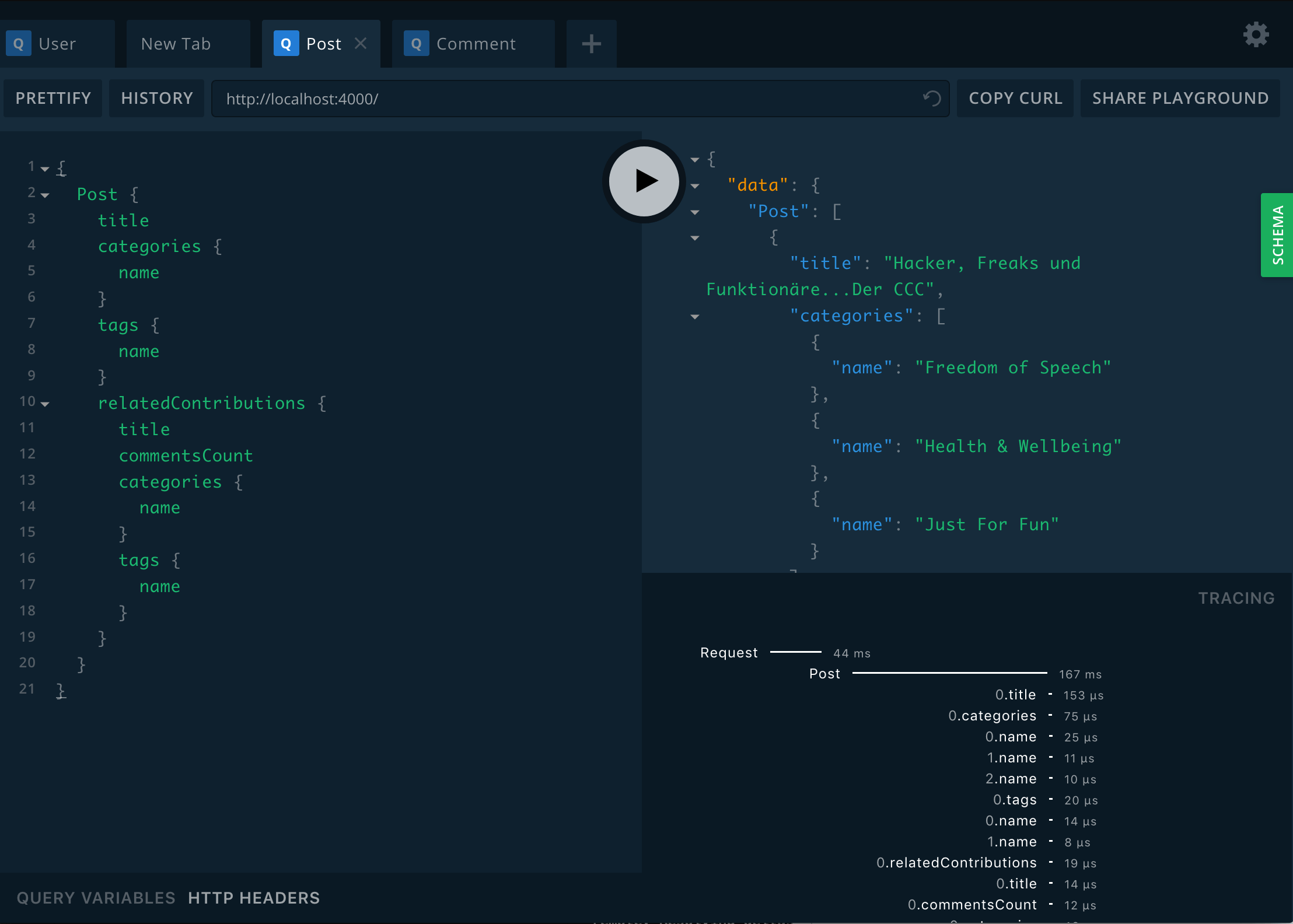
This will start the GraphQL service (by default on localhost:4000) where you can issue GraphQL requests or access GraphQL Playground in the browser:
Configure
Set your Neo4j connection string and credentials in .env.
For example:
.env
NEO4J_URI=bolt://localhost:7687
NEO4J_USER=neo4j
NEO4J_PASSWORD=letmein
You need to install APOC as a plugin for the graph you create in the neo4j desktop app!
Note that grand-stack-starter does not currently bundle a distribution
of Neo4j. You can download Neo4j Desktop
and run locally for development, spin up a hosted Neo4j Sandbox instance,
run Neo4j in one of the many cloud options,
or spin up Neo4j in a Docker container.
Just be sure to update the Neo4j connection string and credentials accordingly in .env.
Mocking API Results
Alternatively you can just mock all responses from the api which let you build a frontend application without running a neo4j instance.
Just set MOCK=true inside .env or pass it on application start.
Seeding The Database
Optionally you can seed the GraphQL service by executing mutations that will write sample data to the database:
yarn seedDb
# -or-
npm run seedDb
Todo`s
- add jwt authentication
- get directives working correctly (@toLower, @auth, @role, etc.)
- check if search is working
- check if sorting is working
- check if pagination is working
- check if upload is working (using graphql-yoga?)
- evaluate middleware
- ignore Posts and Comments by blacklisted Users