mirror of
https://github.com/Ocelot-Social-Community/Ocelot-Social.git
synced 2025-12-13 07:46:06 +00:00

872 B
872 B
Storybook
We encourage contributors to use Storybook to test out new components in an isolated way, and benefit from its many features.
See the docs for live examples and answers to FAQ, among other helpful information.
{% tabs %} {% tab title="Docker" %}
After you have started the application following the instructions above, in another terminal run:
$ docker-compose exec webapp yarn storybook
The output should look similar to this:
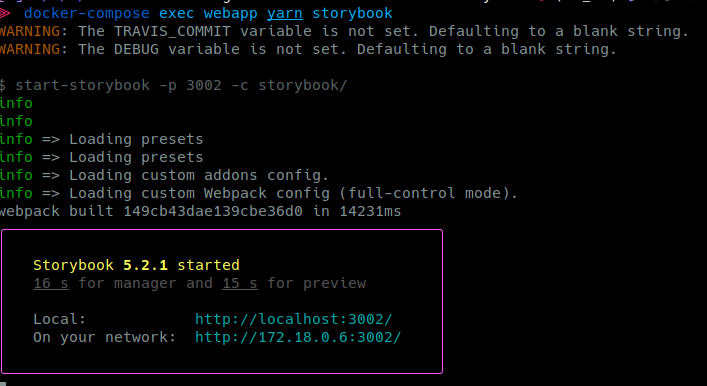
Click on the link http://localhost:3002/ to open the browser to your interactive storybook.
{% endtab %}
{% tab title="Without Docker" %} Run the following command:
# in webapp/
yarn storybook
Open http://localhost:3002/ in your browser
{% endtab %} {% endtabs %}